Every security team already runs playbooks. They are just not written down. A known-exploited vulnerability on an internet-facing service gets a ticket and a message to the channel. A leaked production key goes to the owner of the system it unlocks. An overdue P1 goes to the team lead. The rules exist in people’s heads, and they run when someone remembers them, on the days that person is at work.
In short
- Rules send messages; playbooks make decisions. A notification rule maps one event to one channel. A playbook branches on context, takes several actions in order and can stop to ask a person.
- Safety is designed in, not bolted on. Templates install switched off, a dry run against a real finding sends nothing, approvals wait for an analyst, and every action that changes a finding is in the audit trail.
- Automate the decisions you already make. Start with three or four routine responses, prove each with a dry run, and keep judgement calls behind an approval step.
- It complements a SOAR, it does not replace one. Playbooks know the finding, its owner and its context; a SOAR knows the rest of the incident. A signed webhook joins them.
Rules, playbooks, and the gap between them
InsightFortify has had notification rules since the workflow release: on a new P1, an SLA breach, a newly known-exploited vulnerability or a failed gate, send a message to Slack, Teams, email or a signed webhook, once per finding. Rules are deliberately simple, and most organisations need a handful of them.
They stop being enough the moment the response depends on something. Ticket it, but only if the service is internet-facing. Open the fix PR, but only if the vulnerable function is actually called and a fixed version exists. Isolate the workload, but only after a person agrees. That is a flow, not a rule, and it is what a playbook is.
One event, optional filters, one channel. Easy to read, hard to get wrong, and right for “tell the channel about every new P1”.
A trigger, conditions that branch, actions in order, approvals and delays. Right for anything where the response depends on context or needs a person.
Rules stay. Any rule can be converted into an equivalent one-trigger, one-action playbook when it outgrows itself, so nobody has to rebuild what already works.
What a playbook is made of
A playbook is drawn on a canvas: the same workflow designer the other InsightLake products use, so teams that build data or AI workflows already know it. Each node comes from a fixed catalogue.
| Part | What is available | Notes |
|---|---|---|
| Triggers | New finding, finding reopened, newly known-exploited (KEV), attack path, runtime detection, malicious package, SLA breached, SLA due soon, CI gate failed, manual, schedule | Fed by the same events as the notification rules; a playbook runs once per event subject |
| Conditions | Priority, kind, reachability, owner or team, internet-facing, repository or label, minimum score, KEV, and an expression on the finding’s fields | Each has Yes and No outputs; expressions are parsed and checked, never executed |
| Actions | Jira issue, ServiceNow record, notify (Slack, Teams, email, signed webhook), assign owner, open fix PR, snooze, dismiss, rescan, note, label, AI triage, signed webhook | The same services the console uses; changes to a finding are written to its history and the audit trail |
| Control | Approval (approved or denied), delay, end | A timeout on an approval counts as denied |
One run, step by step
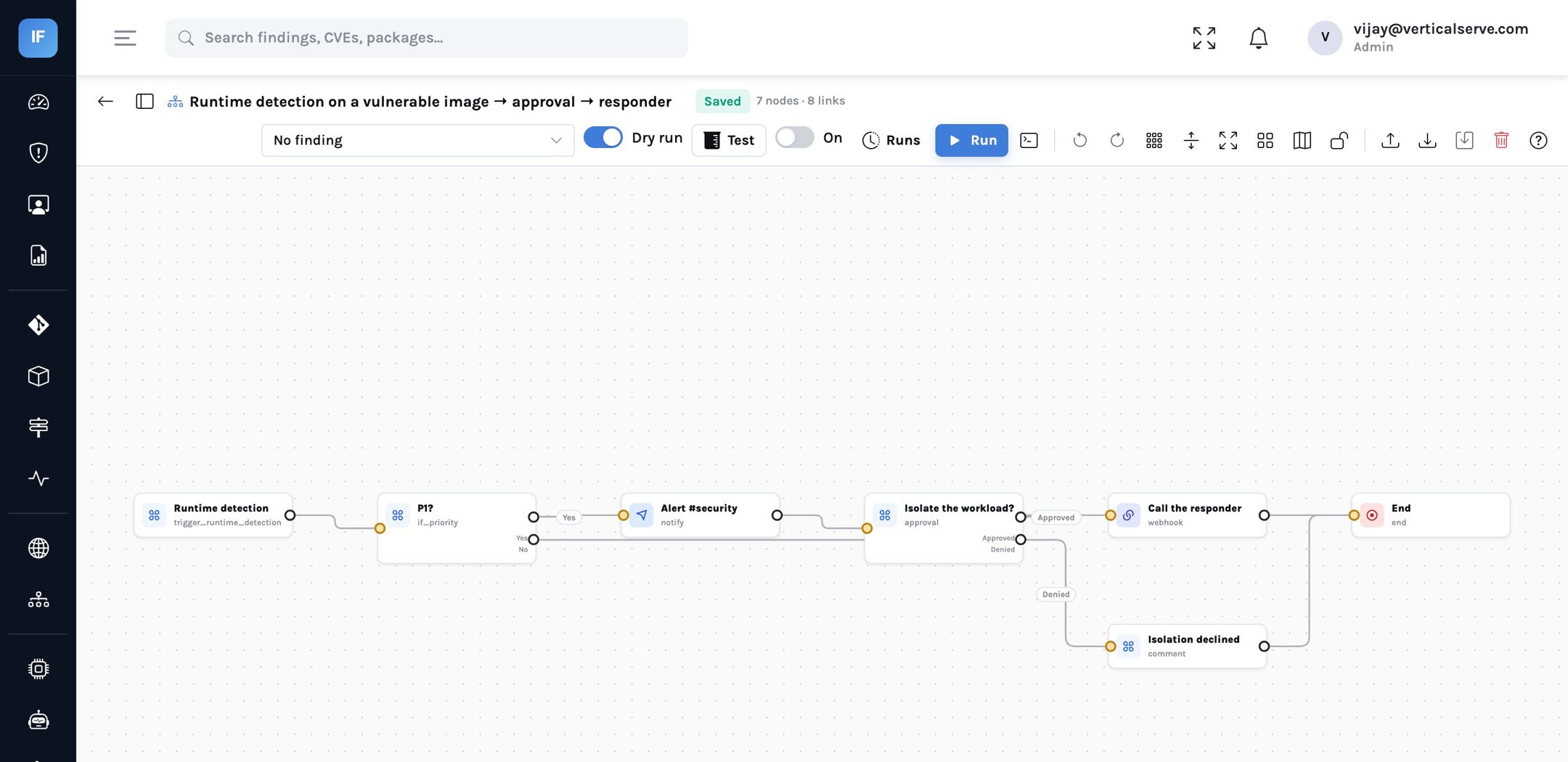
The playbook above is one of the six templates. Here is what happens when it runs, including the part where it waits for a person.
A waiting run holds no worker. If nobody answers before the timeout, the denied branch runs and records why.
The safety model
Automation in security has a bad reputation for a reason: a workflow that misfires on a Friday can open four hundred tickets or isolate a healthy service. The design choices below exist to make that hard.
Nothing runs until a security lead points it at the right channels and switches it on.
Conditions are evaluated for real; actions report what they would do. It runs in a rolled-back transaction and sends nothing.
A design with no trigger, no end, a loose step, a loop or an empty required field saves as a draft but cannot be switched on.
A pasted Slack URL or signing key is refused; channels and webhooks take secret references.
A security lead or analyst decides in the console; a developer cannot. A timeout counts as denied.
A run is unique per playbook and event subject, so a finding re-scored ten times starts one run.
A failing step retries after 30 seconds, 2 minutes and 10 minutes, then fails the run unless it is marked continue-on-error.
Each run keeps every step’s input, output, branch and error; actions that change a finding write its history and an audit row.
Conditions written as expressions deserve a word. A free-form condition such as
kind == "secret" and priority == "P1" is useful and dangerous in equal measure if it is
evaluated as code. InsightFortify parses it and walks the parsed form: only the finding’s fields,
literals, comparisons and three string helpers are allowed. Anything else is refused when the playbook is
saved.
Six templates to start from
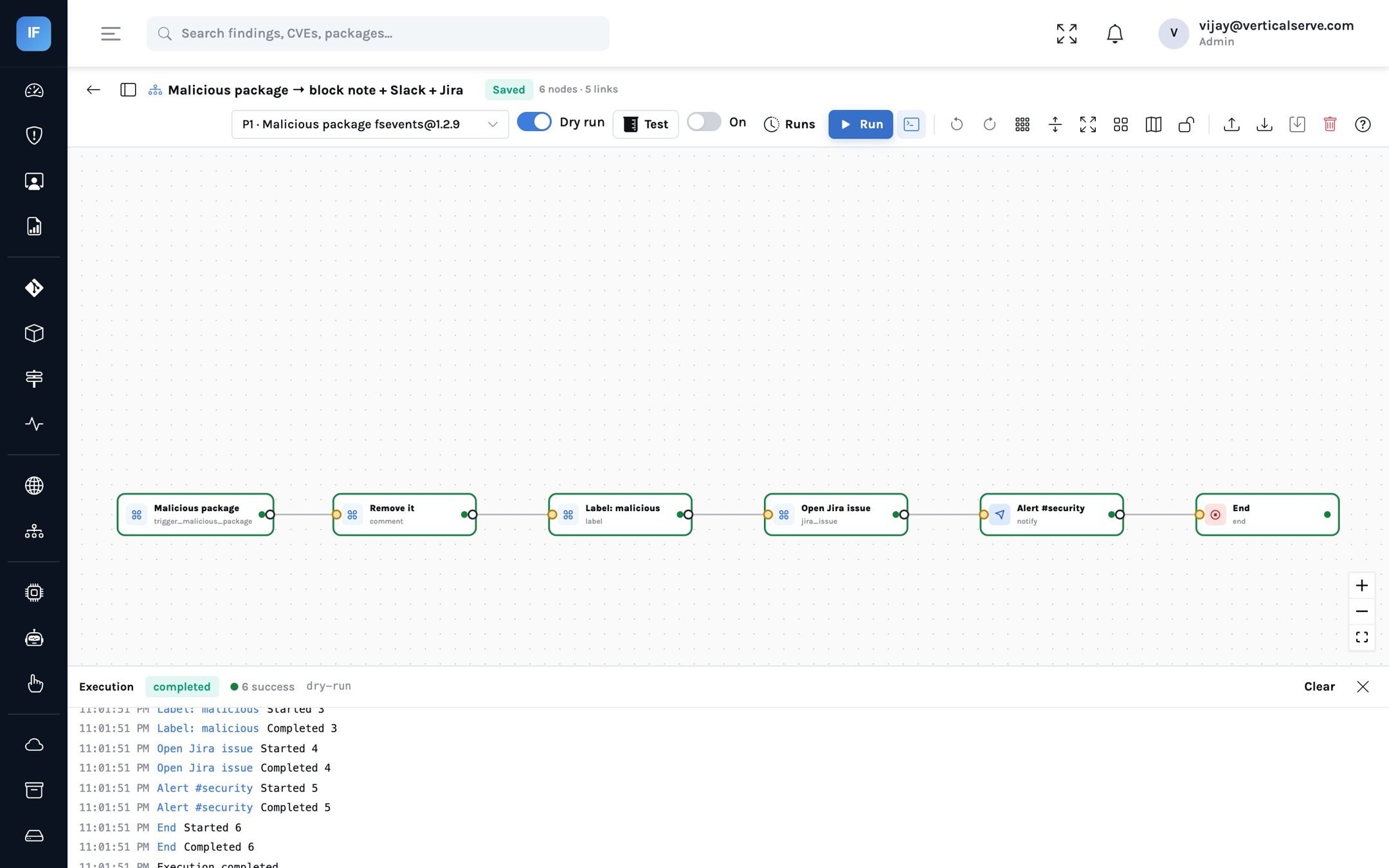
The templates encode responses most programmes already agree on. Each is a starting point; change the channels, the conditions and the order in the designer.
| Template | Starts on | What it does |
|---|---|---|
| KEV on an internet-facing service | Newly known-exploited | If internet-facing: open a Jira issue, label the finding, tell the security channel |
| New P1 secret | New finding | If it is a P1 secret: assign the code owner, note that rotation is required, label it, email the team |
| Malicious package | Malicious package | Note that it must be removed, label it, open a Jira issue, alert the channel |
| SLA breach | SLA breached | If P1 or P2: label it escalated and email the team lead |
| Reachable critical with a fix | New finding | If a reachable P1/P2 dependency finding has a fixed version: open the fix PR, then a Jira issue |
| Runtime detection with approval | Runtime detection | If P1: alert, ask a person, and on approval call the responder |
you already make"] --> B["Install the template
switched off"] B --> C["Point it at your
channels and project"] C --> D["Dry run against
real findings"] D --> E{"Reads right?"} E -->|"No"| C E -->|"Yes"| F["Switch on for
one team"] F --> G["Read the run history
for two weeks"] G --> H["Extend to everyone"]
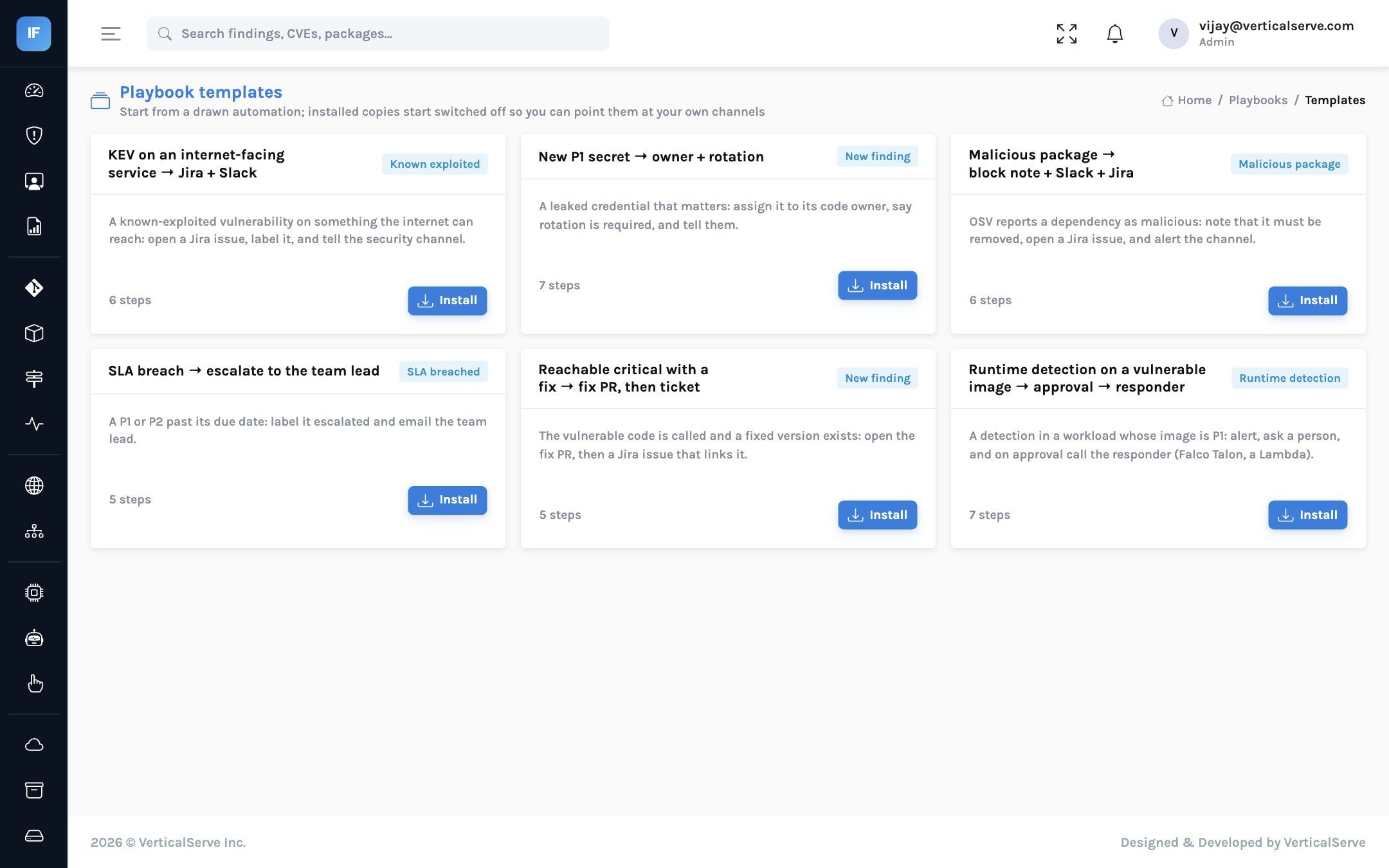
The rollout loop: nothing reaches production until a dry run on real findings reads the way you expect.
Where playbooks sit next to a SOAR
Many organisations already run a SOAR platform for incident response, and the question comes up quickly: is this a second one? It is not, and it should not try to be. A SOAR orchestrates across the whole security estate — email gateways, endpoint tools, identity providers — around incidents. Security playbooks orchestrate around findings: they know the score and why, the owner from CODEOWNERS, whether the vulnerable code is called, whether the service faces the internet, and whether a fix PR is possible.
The two meet at a signed webhook. A playbook decides that something is an incident and hands it to the SOAR with the finding’s context; the SOAR does what only it can. In organisations without a SOAR, playbooks cover the routine half of vulnerability response on their own.
What it means for each reader
For the CISO
The routine part of vulnerability response becomes a written, versioned, testable policy instead of tribal knowledge. That is easier to defend to an auditor and easier to hand over.
Approval steps let you automate up to the point where judgement is needed, and no further.
For the AppSec lead
Start with the templates that match decisions you already make, dry-run each against real findings, and switch them on one team at a time.
Keep notification rules for the simple cases; convert one to a playbook when it needs a condition.
For the board
Faster, more consistent response to the events that matter most: known-exploited vulnerabilities on exposed systems, leaked credentials and overdue critical findings.
Automation with a person in the loop where it counts, and a full record of what it did.
Honest limits
- Integrations are tested against stand-ins. Playbook actions use the same Jira, ServiceNow, Slack, Teams and GitHub clients as the rest of the product. They are built to the vendors’ documented APIs and tested against mocks, not yet against live customer instances.
- Flows are step by step. A playbook is a directed graph run one step at a time; there are no loops and no parallel branches that join again.
- Approvals happen in the console. The Slack message says an approval is waiting; the decision is made in InsightFortify, not with a button in the chat.
- The palette is plain. The designer lists node types by their technical names, such as “trigger new finding”, rather than friendlier labels.
- Playbooks act as the organisation. There is no separate service identity per playbook; what a playbook may do is what the organisation’s integrations may do.
Decide once what should happen next. Test it on a real finding. Then let it run.
Keep people for the decisions that need judgement, and put an approval step exactly there.