- contact@insightfortify.com
Integrations & developer tools
It works where your teams already work
Developers see findings in the pull request and the editor. Security teams route them into Jira or ServiceNow, get alerted in Slack or Teams, and draw playbooks for what should happen next. Leadership gets a PDF. And the scanners you already pay for feed the same queue.
Source control
Pull request checks, owners and fix PRs
Install the GitHub App or connect GitLab with an access token. Repositories register themselves; pushes and pull requests are scanned without a pipeline change.
PR checks
What merging would add
A preview scan of the head ref, scored with the repository’s context. One summary comment, edited on each push, and a check run (or GitLab commit status) that fails under your gate, with new findings annotated on their lines.
Fix PRs
The fix, as a pull request
Dependency findings bump the manifest to the fixed version on the installed major line — package.json (with npm, yarn and pnpm overrides for transitive ones), requirements.txt, pyproject.toml, go.mod, pom.xml. Others apply the AI-drafted patch. Always a new branch.
Owners
The right person, automatically
CODEOWNERS in GitHub or GitLab syntax decides who owns each finding; the file’s last committer is the fallback in a full clone. Filter by owner or team, or assign automatically.
CI
Any pipeline
Jenkins, Azure Pipelines, CircleCI or anything else: post the scanner output to one endpoint and get a pass or fail decision. Gitleaks rules are served to CI so it scans with the same patterns.
The editor and coding agents
Before the code is even committed
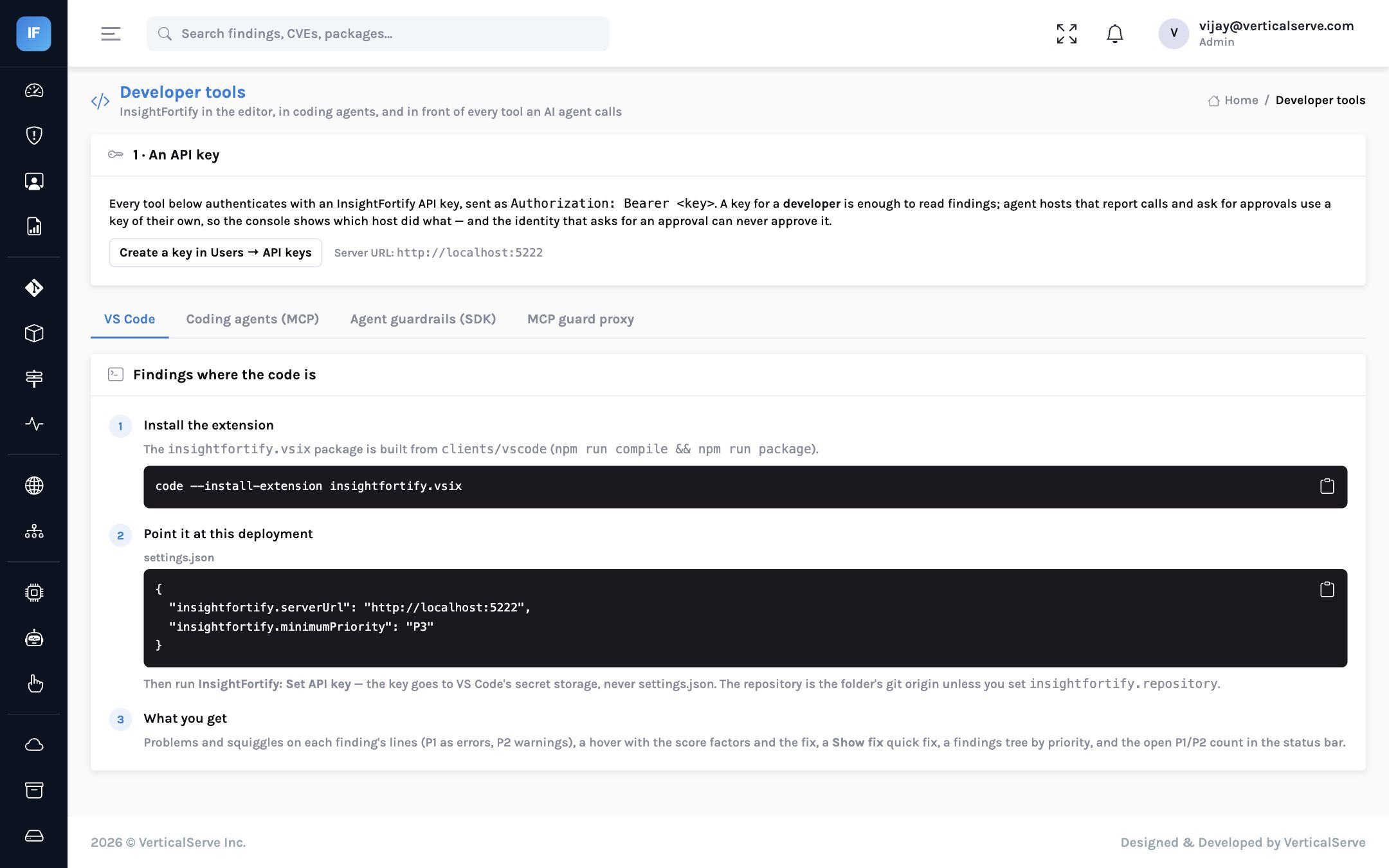
- VS Code extension — findings as problems on their lines (P1 errors, P2 warnings), a hover with the score factors, a “Show fix” quick fix, a findings tree and a status-bar count. The API key lives in VS Code’s secret storage.
- MCP server — coding agents such as Claude Code and Cursor can list a file’s findings, read the fix, and check a package against vulnerability and malicious-package data before adding it.
- Package firewall — one call answers allow, warn or block for a list of packages under your policy, for CI, a proxy or an agent.
The extension and client packages install from the product; they are not yet on the VS Code Marketplace or public package registries.
Tickets and alerts
Two-way Jira, ServiceNow, and rules that page the right team
- Jira, both directions — Cloud and Server/Data Center. Issues opened by hand or by rule with your project, issue type, priority mapping, labels, components and the owner as assignee. When the issue is done, the next scan verifies the fix: gone, and the finding closes; still there, and the issue reopens with a comment.
- ServiceNow — an incident or any table, with urgency and impact per priority, kept in step.
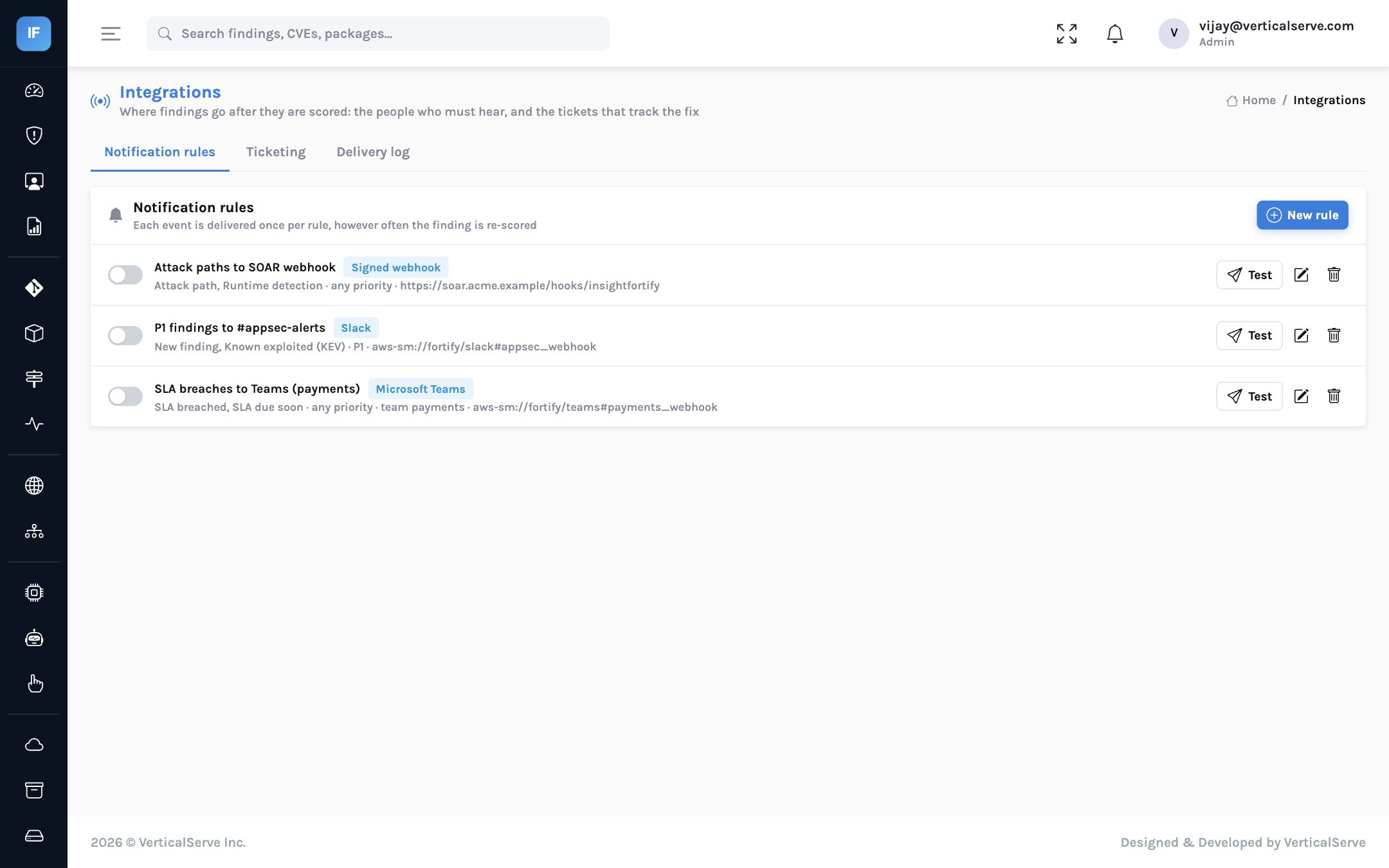
- Notification rules — on a new finding, an SLA breach or one due soon, a newly known-exploited vulnerability, an attack path, a runtime detection or a failed gate; filtered by priority, kind, repository, team, owner or KEV; to Slack, Teams, email or a signed webhook.
- Delivered once, logged always — one message per finding per event however often it is re-scored, retries with back-off, and a delivery log.
Security playbooks
Draw what should happen next, and let it run
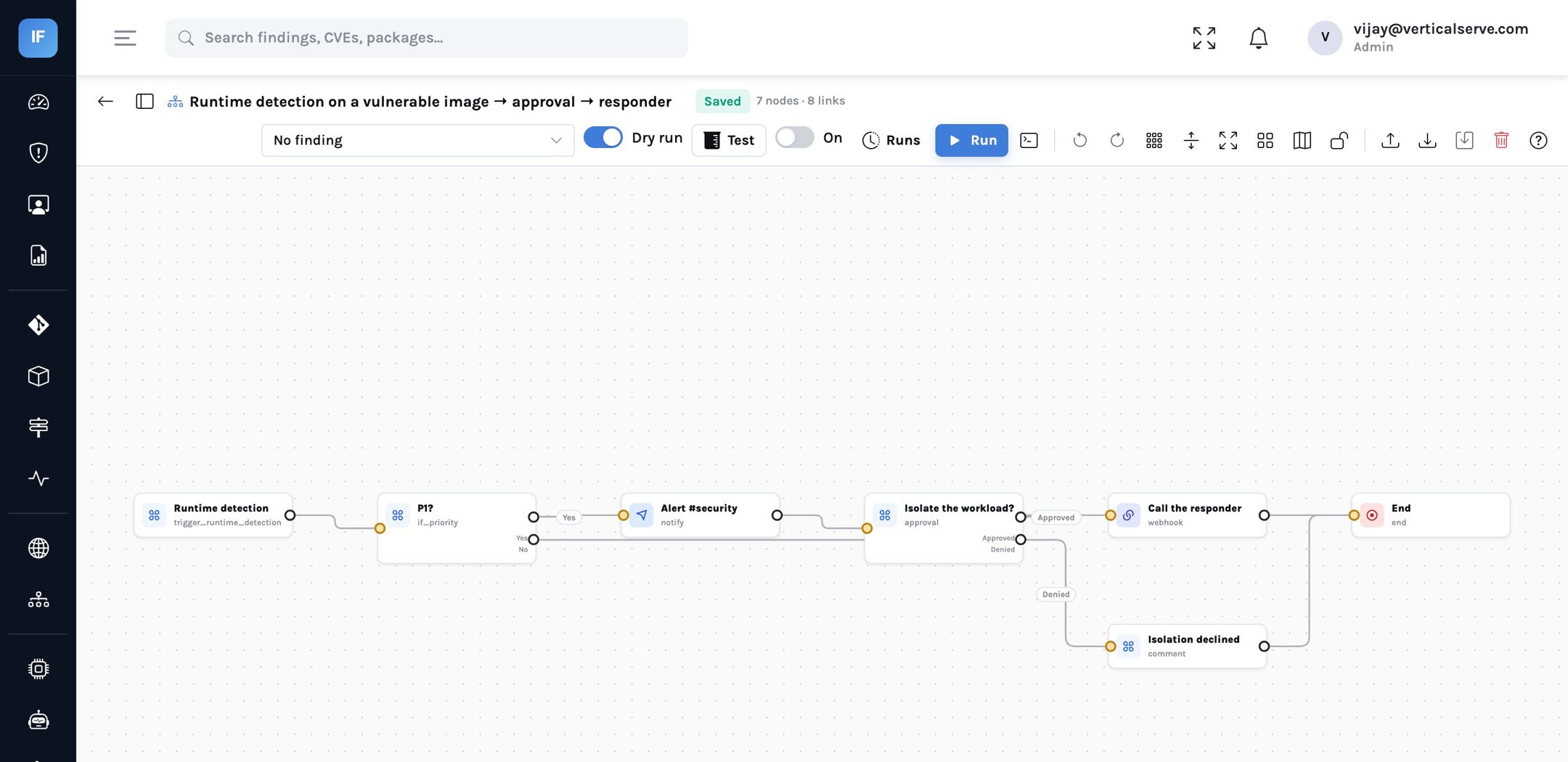
A rule sends one message. A playbook decides: if a known-exploited vulnerability lands on something internet-facing, open a Jira issue, label it and tell the channel; if a workload with a P1 image spawns a shell, ask a person before calling the responder. Drawn on a canvas, versioned, tested against a real finding before it is switched on.
Triggers
Every event that matters
New or reopened finding, newly known-exploited, attack path, runtime detection, malicious package, SLA breached or due soon, failed CI gate, on a schedule, or by hand from a finding.
Conditions
Branch on context
Priority, kind, reachability, owner or team, internet exposure, repository or label, score, KEV — or an expression over the finding’s fields, parsed and checked, never executed.
Actions
The work, done
Jira or ServiceNow ticket, Slack, Teams, email or signed webhook, assign the owner, open a fix PR, snooze or dismiss with a reason, rescan, comment, label, an AI triage summary.
Control
A person in the loop
Approval steps wait for an analyst (a timeout counts as denied), delays, retries with back-off, cancel, and a run history with every step’s input and output. Actions that change a finding are audited.
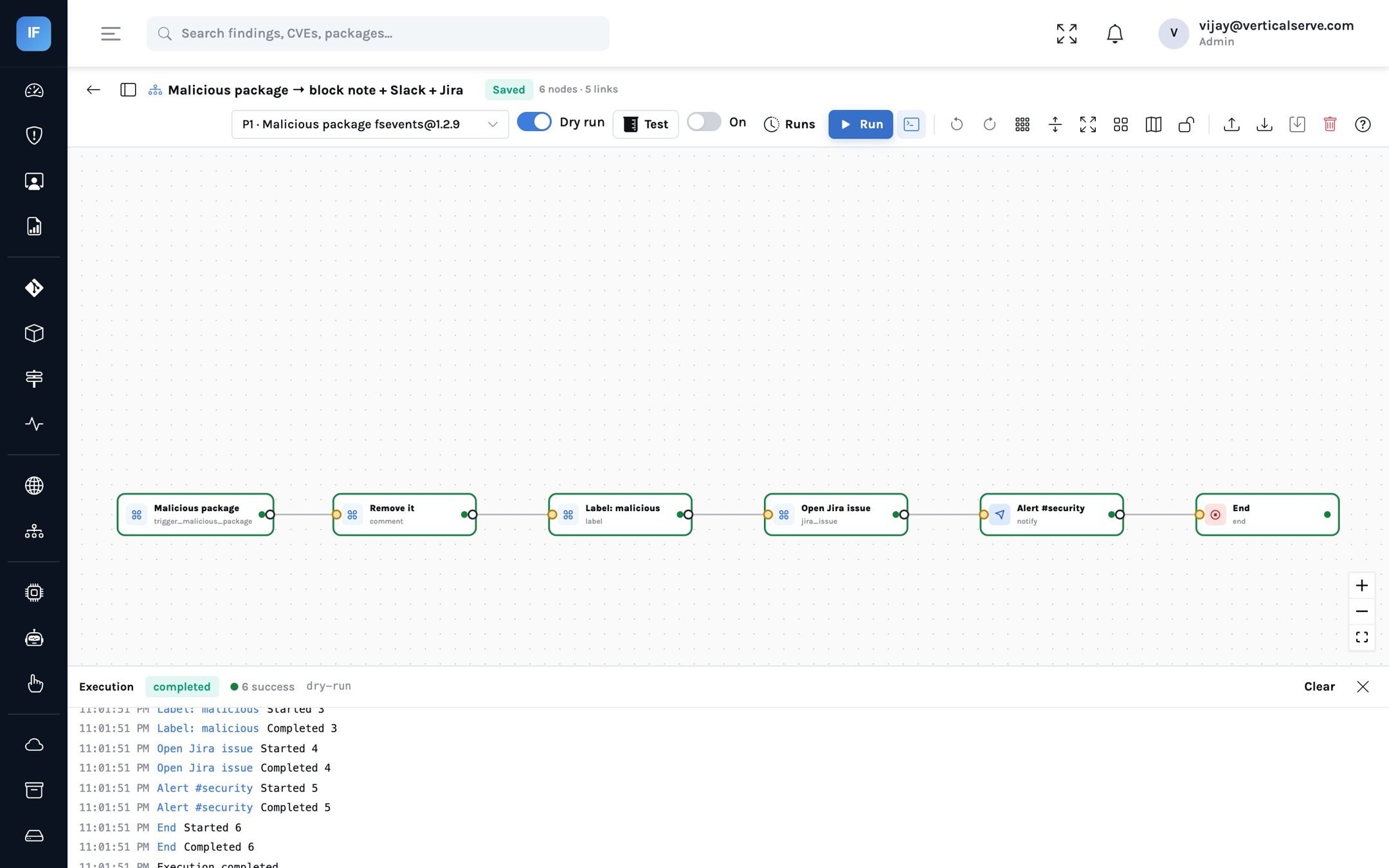
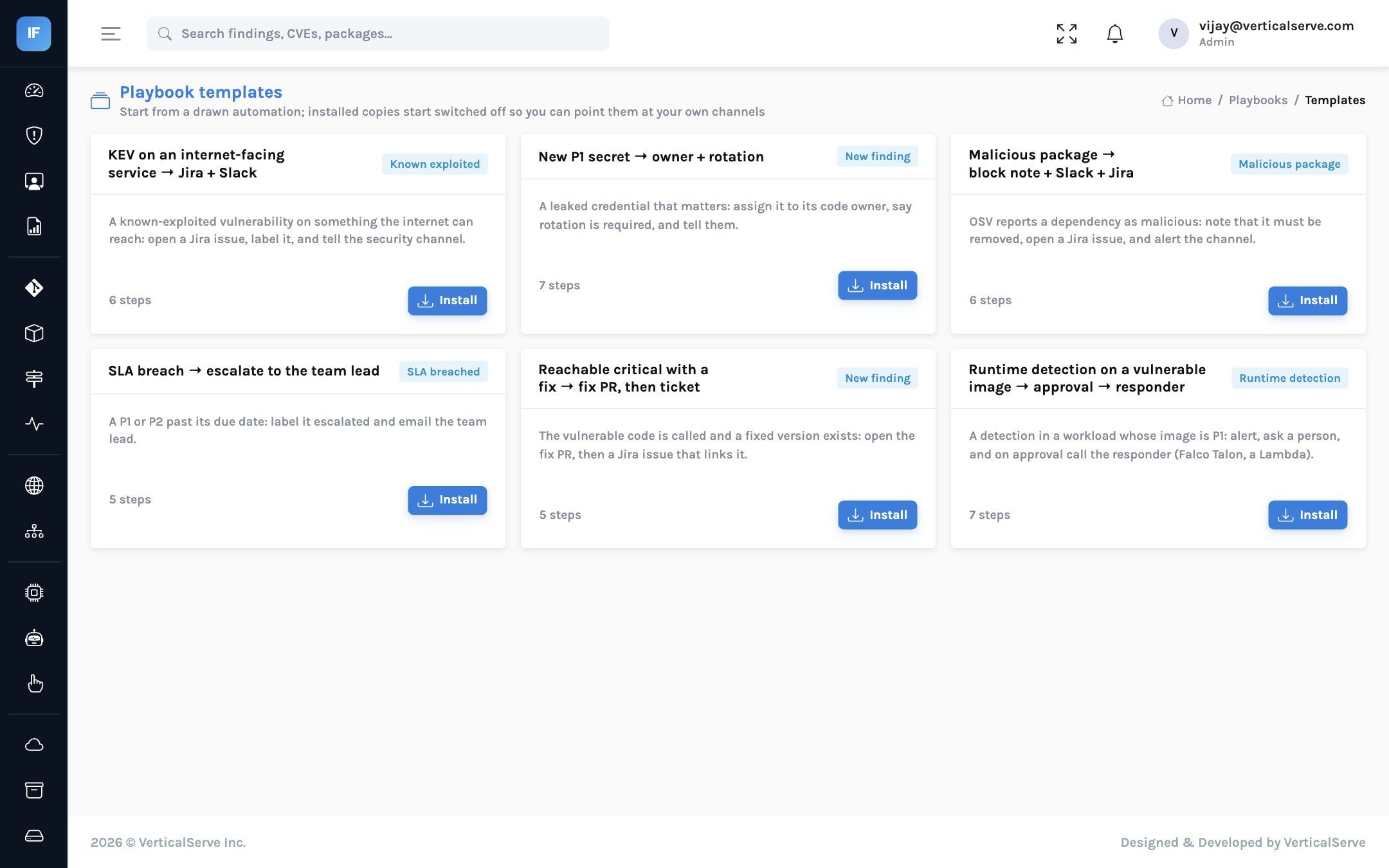
Notification rules remain the simple mode; any rule converts to an equivalent playbook in one click. The designer is the same canvas the other InsightLake products use.
Bring your tools
Consolidate without ripping anything out
Upload a report, send it from CI, or pull GitHub’s alerts. The format is recognised from the file. The same CVE in the same package from Trivy, Snyk, Grype and Dependabot becomes one finding, and it is fixed only when the last tool stops reporting it.
TrivyOpengrepGitleaksSyftCheckovOWASP ZAPProwlerFalco
Imported from the tools you own
Snyk Open SourceSnyk CodeCheckmarx OneCxSASTVeracodeSonarQubeGrypeSemgrepBanditBurp SuiteDependabotGitHub code scanningNessusOWASP Dependency-CheckAny SARIFCycloneDX
Connected
GitHub AppGitLabJiraServiceNowSlackMicrosoft TeamsEmail (SES)WebhooksAmazon ECROCI registriesKubernetesAWSAzureGoogle CloudOIDC / SAML
Imported formats follow each vendor’s documented output; if a vendor changes a format, the upload says so rather than guessing.
Reports
The board pack writes itself
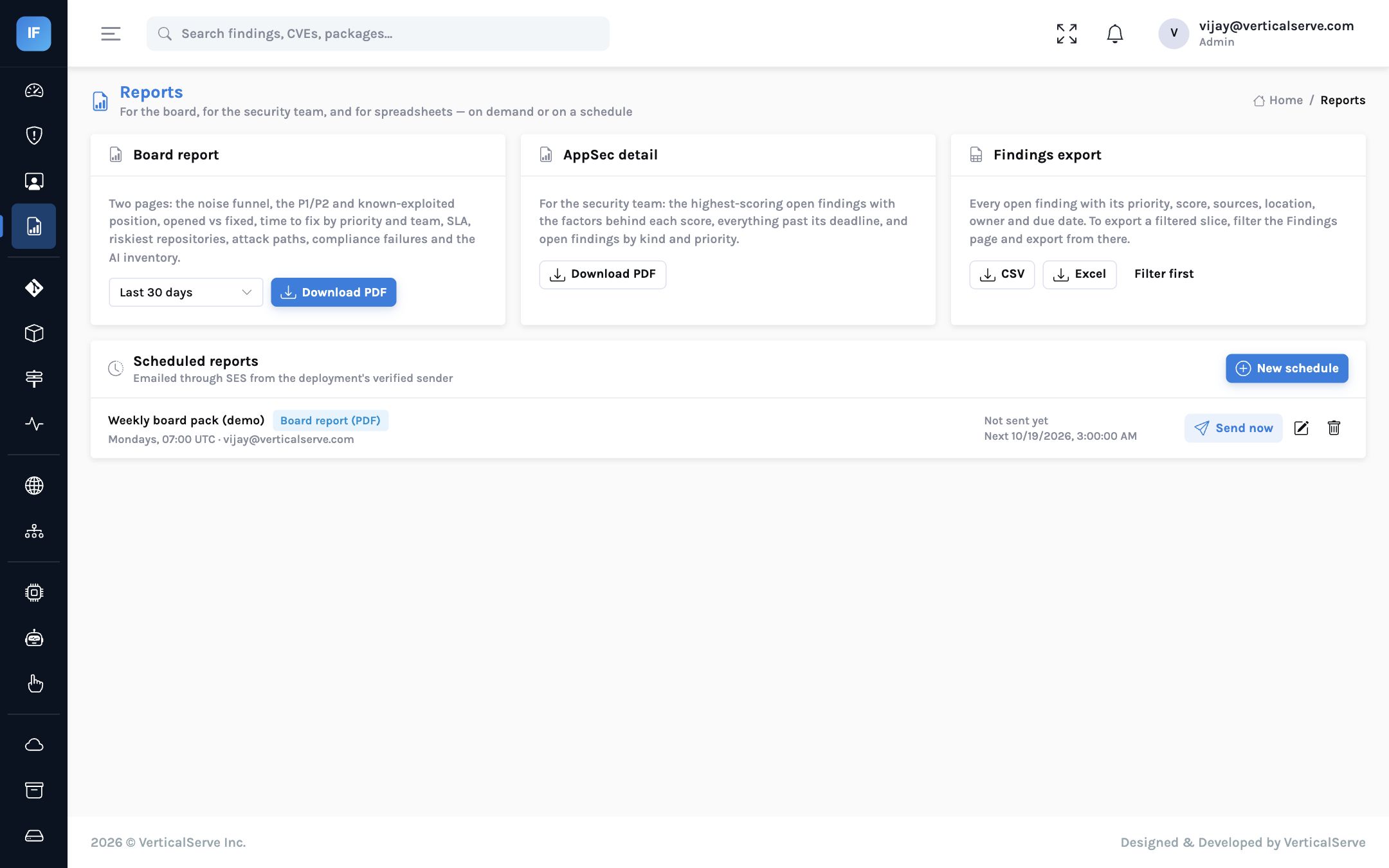
- Board report (PDF) — the noise funnel, P1/P2 and known-exploited position, opened versus fixed, time to fix by priority and team, SLA, the riskiest repositories, attack paths, compliance failures and the AI inventory.
- AppSec detail (PDF) — the highest-scoring findings with the factors behind each score, everything past its deadline, open findings by kind and priority.
- Exports — CSV and Excel with any filter from the findings list.
- Schedules — weekly or monthly, emailed with the file attached.
API
Everything in the console is an API call
REST with API keys and role-based access, so anything you can click you can script. See the API reference.